Website translation plugins for SEO: Polylang, Weglot, WPML and Lantis compared
Browser widgets don't get indexed. Compare Polylang, Weglot, WPML and Lantis on free access, hreflang, language URLs and cancellation terms.
If search engines need to index each language of your site, a browser-side translation widget is not enough, because it creates no pages that search engines can index. Polylang, Weglot, WPML and Lantis each handle free access, hreflang, server-side content and cancellation differently, so the right pick depends on your platform and how many languages you need. Competitor sources disagree on several prices, so confirm current figures on each vendor's pricing page before you buy.
Why isn't a browser-side translation widget enough for SEO?
A widget translates the page inside the visitor's browser. According to WPMayor, widgets of this kind, including Google's and GTranslate's free tier, do not create pages that search engines can index. The translation exists only on the visitor's screen, so it does nothing for searches made in another language.
Google's own widget is going away too. WPHive's report states it plainly:
"Google's Website Translator Widget will no longer be supported starting October 1, 2026." — WPHive
That deadline has passed, so any "best translation plugin" list that still recommends the Google widget is out of date. The retirement affects only the embeddable widget: according to the same report, Google Translate continues as a product and the Cloud Translation API remains available to developers. The widget was already closed to most businesses, since Google stopped issuing new installations for commercial websites in 2019.
GTranslate is the usual fallback, but its free options have limits of their own. Its free Website Translator Widget is reserved for sites that do not generate revenue, such as personal, educational, non-profit and government sites, and commercial sites need a paid plan, which GTranslate offers with a 15-day free trial, according to WPMayor. Its free WordPress plugin does not produce SEO-friendly translated URLs, because the translations are served via JavaScript and cannot be indexed. WPML, a competitor, makes that claim on its comparison page.
So the question for a business that wants organic traffic in several languages is which tool publishes real, indexable pages per language, and on what terms.
How were the four options compared?
The four tools below are built to publish translated versions of a site rather than overlay them in the browser. Each is judged on the same five criteria:
- Free access: what you get without paying, and what the limits are.
- Language URLs and hreflang: whether each language gets its own address and whether hreflang tags are added.
- Server-generated content: whether content that never passes through the page, such as transactional emails, gets translated.
- Cancellation and lock-in: what happens to your translations if you stop paying.
- Cost model: how the price scales with languages, words or sites.
Where the sources do not detail a criterion for one option, the entry says so. Most pricing and architecture claims about competitors come from other vendors' pages, so each one is attributed to its author. The three WordPress plugins are listed first; Lantis, which also works outside WordPress, comes last.
What does each of the four options offer?
Polylang: free manual translation for WordPress
- Free access: The free version is manual translation only, with no AI and no WooCommerce support, according to WPML's comparison page. The paid Pro tier adds DeepL machine translation.
- Language URLs and hreflang: The sources consulted do not detail this.
- Server-generated content: The sources consulted do not detail this.
- Cancellation and lock-in: The sources consulted do not detail this.
- Cost model: The sources consulted do not give Polylang Pro's price.
- Limits: Polylang's documentation says Polylang Pro is not compatible with Elementor and some other page builders. WPML's page describes this as a real gap for Elementor-built sites.
- Best for: a WordPress site whose owner is happy to write each translation by hand and does not run a WooCommerce shop.
Weglot: hosted translation with a one-language free tier
- Free access: Weglot's free tier is capped at one translated language and 2,000 words, according to Weglot's own blog. That is a vendor-authored comparison.
- Language URLs and hreflang: Weglot says its SEO features include automatic hreflang and language-specific subdirectories or subdomains, with translated metadata.
- Server-generated content: WPML says proxy-style plugins such as Weglot do not translate server-generated content like WooCommerce order emails, because the proxy only sees what reaches the browser. Weglot's own documentation is the place to confirm this.
- Cancellation and lock-in: According to WPML, translated content lives on Weglot's servers and stops working if you cancel.
- Cost model: According to WPML, Weglot's pricing has two simultaneous limits per tier, word count and language count, so a site that needs six languages cannot use a five-language tier however few words it has. The two sources disagree on figures. Weglot's blog lists a Starter plan at €150 per year for 10,000 words and 1 language, while WPML gives €15 per month for Starter (1 extra language) and €299 per month for Advanced (10 languages). Check Weglot's pricing page before budgeting.
- Best for: teams that want a hosted workflow with hreflang handled for them and accept that the translations depend on the subscription. Weglot versus Webflow's native localization is covered separately for Webflow sites.
WPML: paid-only plugin with hreflang included
- Free access: There is no free version. WPML offers a 30-day money-back guarantee instead, according to its own comparison page.
- Language URLs and hreflang: According to NexterWP's comparison, hreflang is handled automatically with no extra purchase.
- Server-generated content: The sources consulted do not detail this.
- Cancellation and lock-in: The sources consulted do not detail this beyond the 30-day guarantee.
- Cost model: Multilingual Blog costs €39 per year for one site with limited features, Multilingual CMS costs €99 per year for three sites, and Multilingual Agency costs €199 per year for unlimited sites. The AI-translation allowance on the €99 tier is described inconsistently: WPML's April 2026 page says 22,500 words per year, while Crocoblock's review describes 90,000 translation credits and 2,000 free credits monthly. Confirm the current allowance with WPML.
- Best for: WordPress agencies and owners of several sites who want a single annual licence and no free tier to outgrow.
Lantis: one line of code, any platform, no free plan
- Free access: Lantis has no free plan. It offers a full refund within 14 days of each payment, with no minimum term.
- Language URLs and hreflang: Lantis gives each language its own URL and generates hreflang tags and sitemaps automatically. It installs by pasting one line of code, with no DNS changes and no design edits, and it works on Framer, Webflow, Shopify, WordPress and any other website.
- Server-generated content: Lantis's published details do not cover content generated on the server, such as order emails, so test those flows before relying on it.
- Cancellation and lock-in: There is no lock-in contract. Lantis includes a visual editor for correcting translations and a glossary per language.
- Cost model: Lantis charges only for active languages, with no limit on sites or visits: €3 per month for one language, €2.50 per language per month for 2 to 9 languages, and €2 per language per month from 10 languages. Each language includes 500,000 words, extra words cost €1 per 500,000 as a one-off payment, and more than 60 languages are available. The Agency plan costs €49 per month for up to 20 sites with up to 5 languages each. Translation uses Gemini by default, with Claude, DeepL or DeepSeek as alternatives.
- Limits: Because there is no free tier, a site that only needs two languages and is happy to translate by hand will pay less with a free plugin. A WordPress team that wants translation managed inside the WordPress admin may prefer WPML or Polylang.
- Best for: sites on Framer, Webflow or Shopify, or mixed stacks, that want indexable language URLs without a platform-specific plugin.
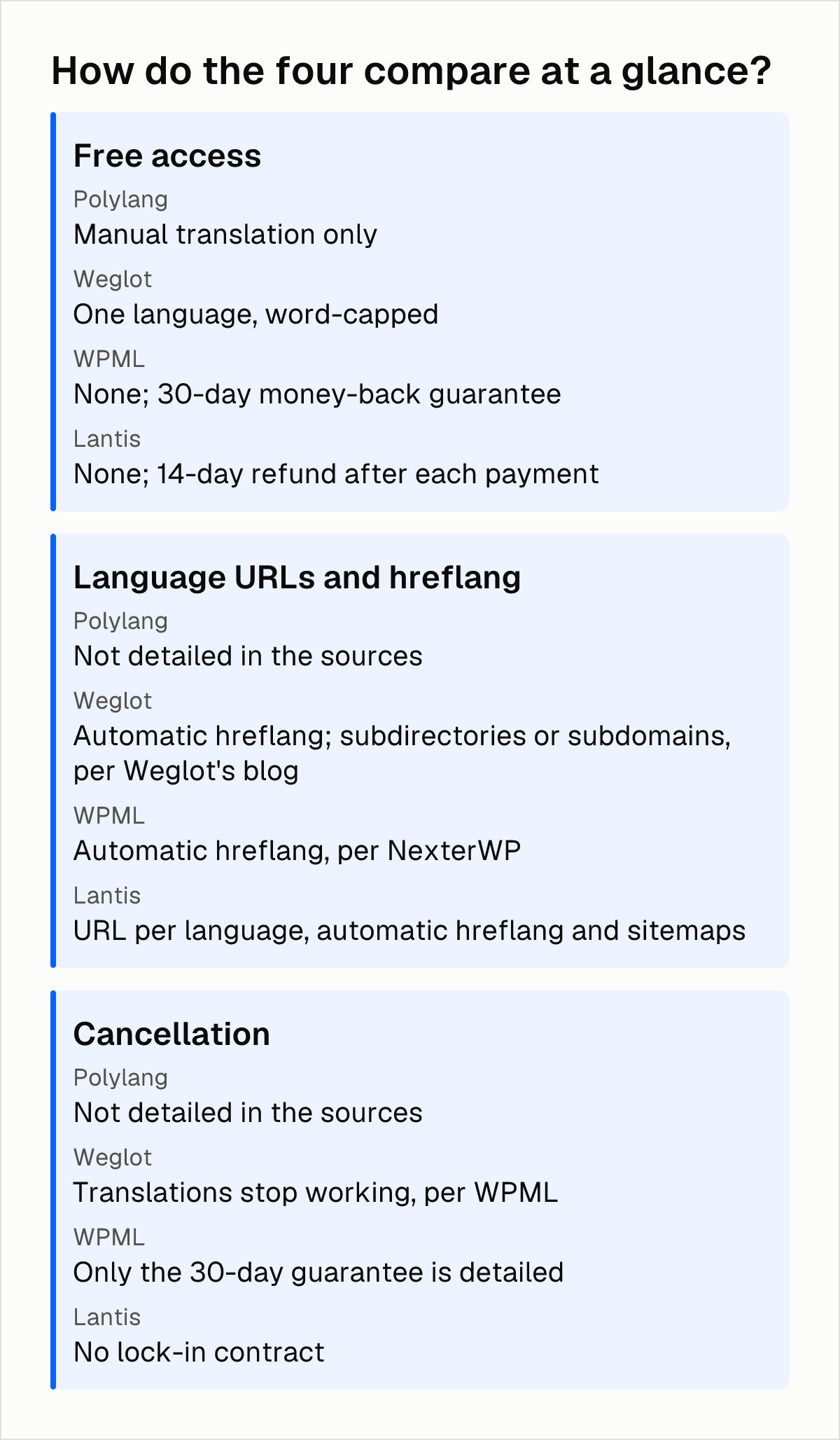
How do the four compare at a glance?
| Free access | Language URLs and hreflang | Cancellation | |
|---|---|---|---|
| Polylang | Manual translation only | Not detailed in the sources | Not detailed in the sources |
| Weglot | One language, word-capped | Automatic hreflang; subdirectories or subdomains, per Weglot's blog | Translations stop working, per WPML |
| WPML | None; 30-day money-back guarantee | Automatic hreflang, per NexterWP | Only the 30-day guarantee is detailed |
| Lantis | None; 14-day refund after each payment | URL per language, automatic hreflang and sitemaps | No lock-in contract |
Which option fits which site?
The choice follows from the platform and from whether you are willing to pay.
- A WordPress site, one translator, no budget: Polylang's free version covers manual work, as long as you do not need Elementor compatibility in the Pro tier or WooCommerce support in the free one.
- A WordPress site with several languages and several sites: WPML's annual tiers scale by number of sites rather than by language.
- A hosted workflow where someone else keeps the translations current: Weglot fits, with the lock-in trade-off above and a price you must confirm.
- A site outside WordPress, or one that mixes platforms: Lantis installs with a snippet and prices per active language.
Whichever you pick, verify the SEO output yourself. Check that each language has its own URL and that hreflang tags point between the versions. A step-by-step guide to hreflang on Shopify (in Spanish) shows what correct tags look like.
Next steps
- Open your site in a private window, switch language and look at the address bar. If the URL does not change, search engines see only the original language.
- List the languages and platforms you need today and in a year.
- Run three or four of your most important pages through a trial or refund window, then view the page source and check for hreflang tags and a separate URL per language.
- Ask any vendor you shortlist what happens to your translations if you cancel, and whether order emails and other server-generated content are translated.
- If you want a snippet-based setup that works across platforms and want to see how a comparison against a niche tool looks, Lantis lays out one in Linguana versus Lantis (in Spanish), with its pricing and limits.
Frequently asked questions
What replaced Google's Website Translator widget after October 1, 2026?
According to WPHive, the retirement affects only the widget: Google Translate remains available as a product, and the Cloud Translation API is still there for developers. Site owners who want translated pages that search engines can index need a plugin or service that publishes separate pages per language.
Is there a free website translation plugin that is good for SEO?
Free tiers exist, but each is narrow. Polylang's free version covers manual translation only, Weglot's free tier covers one language and 2,000 words, and TranslatePress's free version is limited to two languages in total, according to WPML's comparison page. GTranslate's free WordPress plugin does not produce SEO-friendly URLs, so it is a poor fit if indexing matters.
Do translation plugins create separate URLs for each language, and do they add hreflang tags?
Browser-side widgets do not, since they create no pages that search engines can index. According to Weglot's blog, Weglot offers automatic hreflang and language-specific subdirectories or subdomains. NexterWP reports that WPML handles hreflang automatically, and Lantis gives each language its own URL with automatic hreflang and sitemaps.
Can I switch translation plugins without losing my translations?
It depends on where the translations are stored. According to WPML's comparison page, Weglot's translations live on its servers and stop working if you cancel, so export or copy your translated text before leaving any hosted service. Before you switch, confirm with the new vendor whether it can import existing translations, so you do not pay to translate the same content twice.
Sources
Pon tu web en varios idiomas hoy.
Una línea de código. SEO real por idioma. Traducción con IA. Sin tarjeta para empezar.