Catalan and Dutch for a Lovable Site: Script or Real URLs?
A script is the quickest way to add Catalan and Dutch to a Lovable site; real language URLs are needed if each language must rank in Google.
For a small Lovable site, the simplest option is a script that adds a translated layer in minutes. Weglot's Lovable integration installs with a single script and no design changes, but a script alone may not create a separate address for each language or the hreflang tags that link them. If search visibility in Catalan and Dutch matters, look at in-app routes or a tool that adds real language URLs, and first check which framework your Lovable project uses.
Key takeaways:
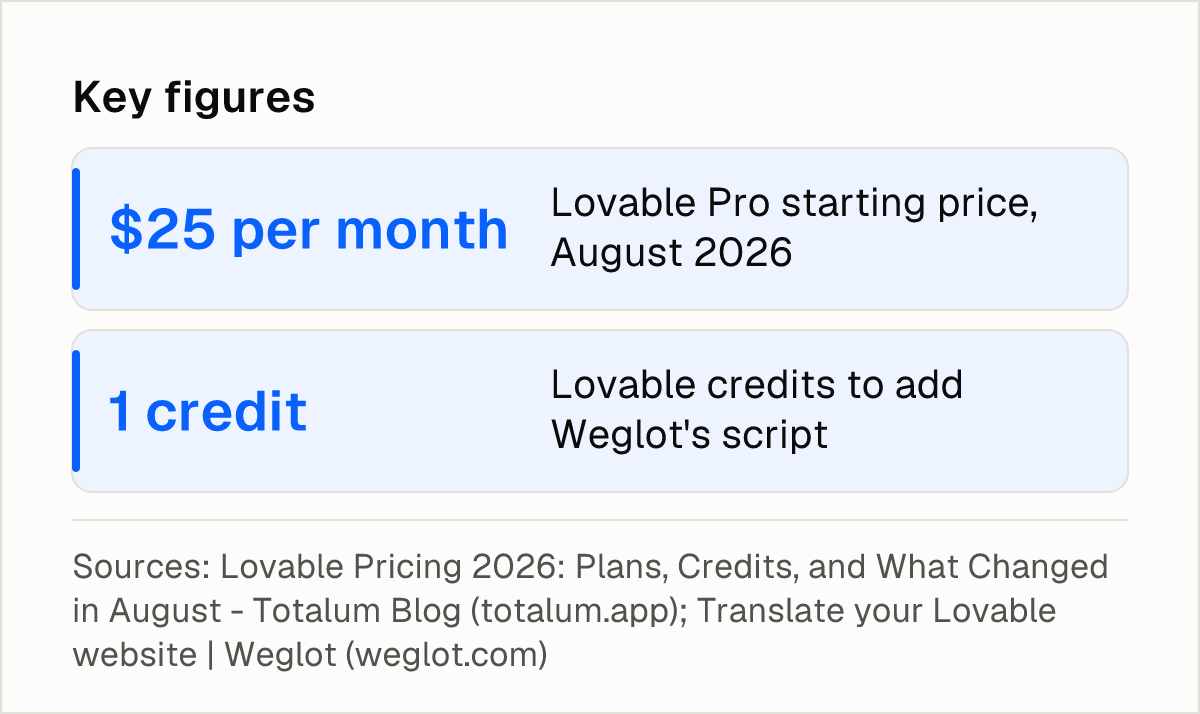
- A script such as Weglot's installs in under 10 minutes, and adding it through the Lovable chat costs one Lovable credit.
- Lovable's own guide says hreflang tags are only generated with subdomain or subdirectory integration, not with JavaScript-only setups.
- Lantis charges €3 per month for one language and €2.50 per language per month from 2 to 9 languages, and gives each language its own URL.
- Lovable Pro starts at $25 per month according to Totalum, and Checkthat.ai adds that the domain itself is paid separately.
What is the difference between a translation script and real language URLs?
"Translate my Lovable site" can mean two different things. A script shows visitors translated text on top of the existing pages. Real language URLs give each language its own address, such as /ca/ and /nl/, so search engines can crawl each version and connect them to one another.
Weglot says that without language-specific URLs, its lightweight JavaScript integration still displays translated versions instantly, without changing the URL structure. That is the appeal: fast setup and nothing to change in the code. The limit comes from Lovable's guide, which is published by the platform itself:
"Hreflang tags are only generated with subdomain or subdirectory integration, not JavaScript-only setups." — Lovable, comparison guide
This matters because of what Google asks for. As summarised by Commoninja, Google wants a different URL for each language version of a page, connected with hreflang annotations. Commoninja also reports that Google works out a page's language from its visible content rather than from the lang attribute or the URL. Whichever route you choose, the translated text has to be real, readable text on the page.
The in-app route builds the language structure into the project. Commoninja describes it as adding an internationalisation library, creating one file per language and putting the language in the URL instead of a cookie, so each language has its own address. Lovable's multilingual guide says Agent Mode can manage multiple language versions, routing logic and hreflang setup. It recommends subdirectories as the best balance of SEO benefits and manageable complexity for most businesses.
Lovable's built-in generation of interface text has its own limit. Lovalingo, which sells a Lovable add-on, says Lovable can generate interface text in other languages but that this does not replace a full localization layer.
Whether to translate the slug itself (for example /contact versus a Catalan or Dutch equivalent) is a separate decision, covered in Lantis's guide to translating URL slugs. Titles and meta descriptions are worth translating too, as explained in this guide to on-page multilingual SEO.
For a site with a handful of pages, the choice comes down to one question. Do you need separate indexable pages per language now, or is a visible translated layer enough while you test demand for Catalan and Dutch?
Which stack does your Lovable project use?
Lovalingo's instructions differ depending on whether a Lovable project uses TanStack Start or is a legacy React/Vite app. The same logic applies to any code-level route: the files to edit, the place where routes live and the way a library is installed depend on the framework underneath.
Before you pick a tool, ask the Lovable chat to report the framework and router your project uses, and write the answer down. Tools that work at the code level (Lovalingo, an i18n library, Agent Mode) need that information. A script-based tool or one that works from outside the code is less sensitive to it, though it is still worth knowing.
If you never edit the code yourself, a code-level route still requires someone to review the result: the routes, the language files and the tags in the page source. That review is part of the cost of the in-app route, even when the tool itself is free. A checklist for checking multilingual SEO can help with that review.
How do the options compare for a small site?
Five criteria apply to every option:
- URLs and hreflang: whether each language gets its own address and hreflang annotations.
- Effort for a non-developer: what a person without coding skills has to do.
- Languages: which languages the option covers, and whether Catalan and Dutch are confirmed.
- Starting cost: the price to begin, not the full cost over time.
- Maintenance: what changes after launch, such as corrections or new content.
| Option | URLs and hreflang | Effort for a non-developer | Languages | Starting cost | Maintenance |
|---|---|---|---|---|---|
| Weglot script | Keeps the existing URL structure without language-specific URLs; no hreflang in JavaScript-only setups | One script, under 10 minutes; one Lovable credit via the chat | More than 110 languages; Catalan and Dutch not detailed in the sources consulted | 14-day free trial and a forever free plan; paid prices not detailed | Some dynamic sections may need a manual HTML block |
| i18n library in the app | Language placed in the URL, so each language has its own address | Add a library and create one file per language; code changes | Depends on the files you write | Not detailed in the sources consulted | One file per language to keep updated |
| Lovalingo add-on | Adds locale URLs, html[lang], canonical and hreflang tags | Instructions differ by stack | Not detailed in the sources consulted | Not detailed in the sources consulted | Automatic UI translation |
| Globalize.now Lingui skill | URL structure not detailed in the sources consulted | Installs Lingui v6, PO catalogs and Trans macros in the code | Not detailed in the sources consulted | Skill is free and uses no credits | One PO catalog per locale |
| Lantis | Own URL per language, hreflang and sitemaps generated automatically | Paste one line of code; no DNS or design changes | More than 60 languages; Catalan and Dutch not detailed in the sources consulted | €3 per month for 1 language; €2.50 per language per month for 2 to 9 | Visual editor, per-language glossary, page and block exclusion |
Weglot is the quickest to try. It says the integration installs in under 10 minutes with a single script and no design changes. The script goes in through the Lovable chat, which costs one Lovable credit, or on a paid Lovable account through the code settings. Its FAQ says some dynamic sections may not translate right away and can be added through an HTML block in its dashboard. Language-specific URLs are the thing to confirm on Weglot's side for your setup, since Lovable's guide ties hreflang to subdomain or subdirectory integration.
Agent Mode and an i18n library belong to the in-app route. Both put routing in the project, and Lovable's guide recommends subdirectories, so Catalan and Dutch would live under paths like /ca/ and /nl/. The effort is higher: someone has to prompt, review the generated routes and keep one file per language up to date. The translations themselves come from wherever you source them, so language coverage depends on that source.
Lovalingo and the Globalize.now skill sit between the two. Lovalingo says its setup adds automatic UI translation, locale URLs, html[lang], canonical and hreflang tags, with instructions that depend on the stack. Globalize.now's lovable-i18n skill installs Lingui in the code, and the company says the skill is free and does not use credits. Globalize.now also argues that runtime auto-translate tools give a fast demo but cause layout shift, which is a reason it favours the code route.
Lantis gives each language its own URL, with hreflang and sitemaps generated automatically, and installs by pasting one line of code. It translates with Gemini by default, with Claude, DeepL or DeepSeek as alternatives. Each language includes 500,000 words, and an extra 500,000 words cost a one-off €1. There is no lock-in, and each payment can be refunded in full within 14 days. Its limits: it is a monthly subscription per active language, and you should confirm that Catalan and Dutch appear in its list of more than 60 languages before paying. Catalan plus Dutch comes to €5 per month at the 2-to-9-language rate. For background on the translation engine, see Lantis's article on DeepL for website translation.
Which option is the simplest for Catalan and Dutch?
The answer depends on what each language version has to do.
- Test demand quickly: use a script. Weglot is the example with the fastest documented setup. Lovable's comparison guide, itself written by Lovable, recommends Weglot or Wix when you need translated copy on an existing site quickly. The trade-off is the missing hreflang in JavaScript-only setups.
- Have each language found in Google: choose a route that creates real URLs. That means Agent Mode or an i18n library inside the app, or a tool that adds the URLs, such as Lovalingo or Lantis.
- Keep everything in the codebase: the i18n library or the Globalize.now Lingui skill give full control and need someone comfortable maintaining language files.
Next steps
- Ask the Lovable chat which framework and router your project uses, and note the answer.
- Decide whether you need indexable pages per language now or only a translated layer to test demand.
- Confirm that Catalan and Dutch are in the language list of any tool before paying.
- After launch, check the page source for language URLs and hreflang tags using a multilingual SEO checklist.
- If you prefer a tool that adds a separate URL per language, Lantis is one option to evaluate alongside the others.
Frequently asked questions
Is a script enough to make my Lovable site multilingual?
It is enough to show visitors translated text. Lovable's guide says hreflang tags are only generated with subdomain or subdirectory integration, not JavaScript-only setups, so a script alone may not help each language rank.
Does Google need a separate URL for each language?
According to Commoninja's summary of Google's guidance, Google asks for a different URL for each language version of a page, connected with hreflang annotations.
Can Lovable translate the site by itself?
Lovable's guide says Agent Mode can manage multiple language versions, routing logic and hreflang setup. Lovalingo, which sells an add-on, says generated interface text does not replace a full localization layer.
Which subdomain or folder structure is recommended?
Lovable's guide recommends subdirectories as the best balance of SEO benefits and manageable complexity for most businesses, so Catalan and Dutch would sit under paths such as /ca/ and /nl/.
Sources
- Lovable: 8 Best Multilingual Website Builders Compared
- Lovable: How to Build a Multilingual Website
- Weglot: Translate your Lovable website
- Weglot: Available languages
- Commoninja: How to Translate a Lovable Website
- Lovalingo: Lovable i18n
- Globalize.now: Lovable i18n & localization
- Globalize.now: Make your Lovable app multilingual
- Totalum: Lovable Pricing 2026
- Checkthat.ai: Lovable Pricing 2026
Pon tu web en varios idiomas hoy.
Una línea de código. SEO real por idioma. Traducción con IA. Sin tarjeta para empezar.